Northstar
San Francisco, CA · Hybrid
Software Engineer, New Grad
Build thoughtful products with a team that helps you grow.
Full-timeEarly career
 joboffermaster
Best for your first job search
Save roles, reuse your details on application forms, and keep interviews and follow-ups together. Your first job search stays clear as it grows.
Watch the overview · 7 minA calmer way to save, apply, and follow up.
Open a supported application from LinkedIn and let your reviewed profile handle the repetitive fields.
LinkedIn job posting
Interactive exampleNorthstar
San Francisco, CA · Hybrid
Build thoughtful products with a team that helps you grow.
Your profile. Less retyping.
Saved details fill supported fields. You review and submit.
One click opens the employer's application in a new tab and starts autofill. You stay in control. See supported platforms
Why JobOfferMaster
Save job links, reuse your autofill profile, and keep interview notes and follow-ups in one place.
Privacy by default
Resumes and application profiles contain your phone number, address, work history, and more. JobOfferMaster encrypts supported profile, resume, application, and interview contents in your browser before storage using AES-256-GCM.
Encrypted before uploadProtected vault contents leave your browser as ciphertext.
Your raw key stays with youThe raw account key and recovery code are not uploaded.
Protected vault flow
Browser-side encryption
Encrypted in your browser
Supported vault contents are encrypted before upload.
Stored as ciphertext
Protected payloads are not stored as readable record contents.
Unlocked on your device
Your local account key opens the vault when you return.
We publish the boundary: some account and operational metadata remains readable. Selected content is processed in plaintext only when you request an AI or parsing feature. The Trust page lists every current boundary and includes a local encryption self-test.
Your saved applications
Ask Private AI about your saved applications, interview dates, quick notes, and uploaded job descriptions.
See how Private AI worksYou ask
Which companies am I interviewing with?
Private AI answers
Your saved applications show interviews with Northstar Health and Acme Labs. I do not see an interview date for another saved role. You have notes and job descriptions for both companies.
Based on the interview events, notes, and job descriptions in the sample applications.
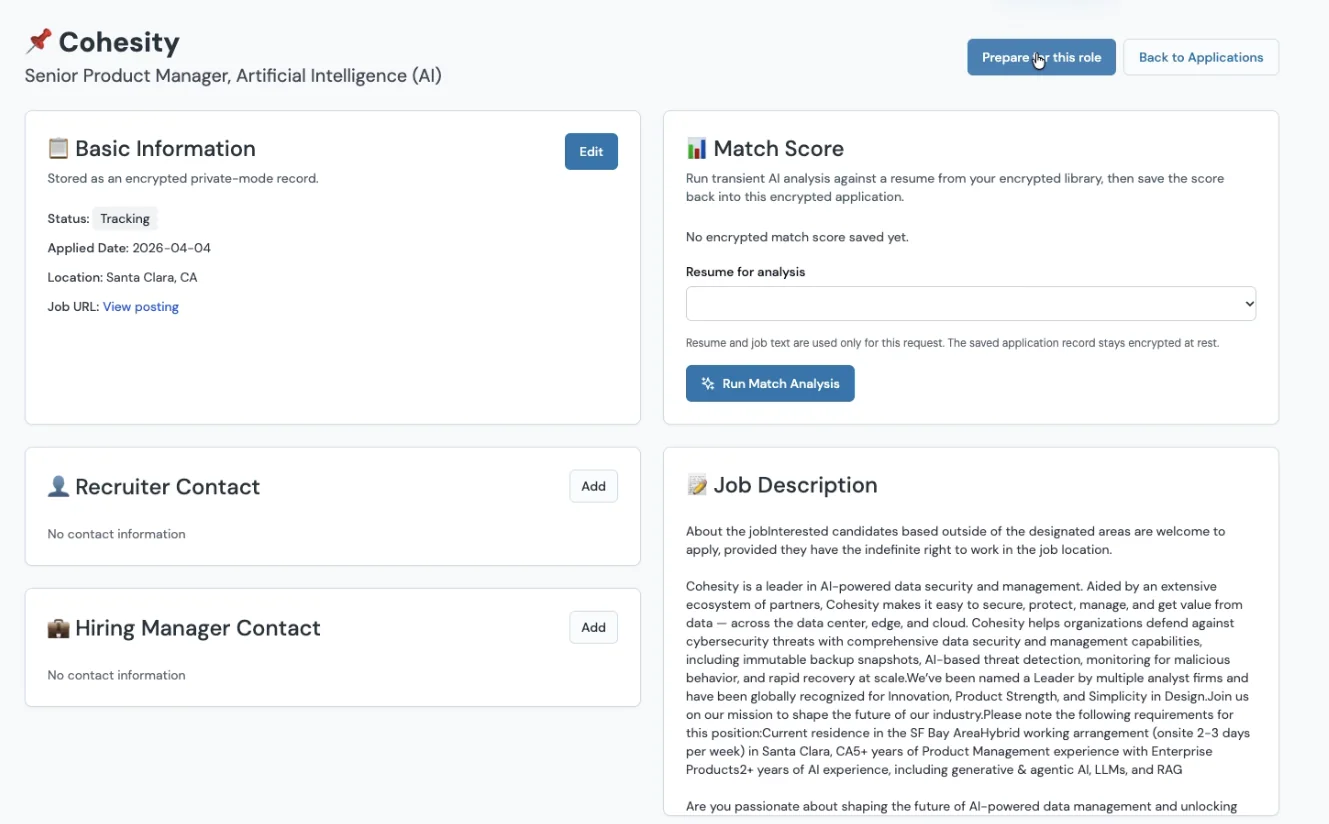
Prepare this role
Turn a saved job into a role-ready application package. JobOfferMaster uses the job description and your resume to draft a tailored resume, cover letter, and interview practice questions, then bundles the files into a ZIP you can review and use.
Step 1
Build a focused resume version and cover letter from your saved resume and the job description.
Step 2
Practice with questions based on the role's requirements and the experience already on your resume.
Step 3
Review the drafts, download the full package as a ZIP, and use the files in your application.
Step 1 of 5
Start from a saved application so the job description and role details stay attached.